

To delete one or more classes:
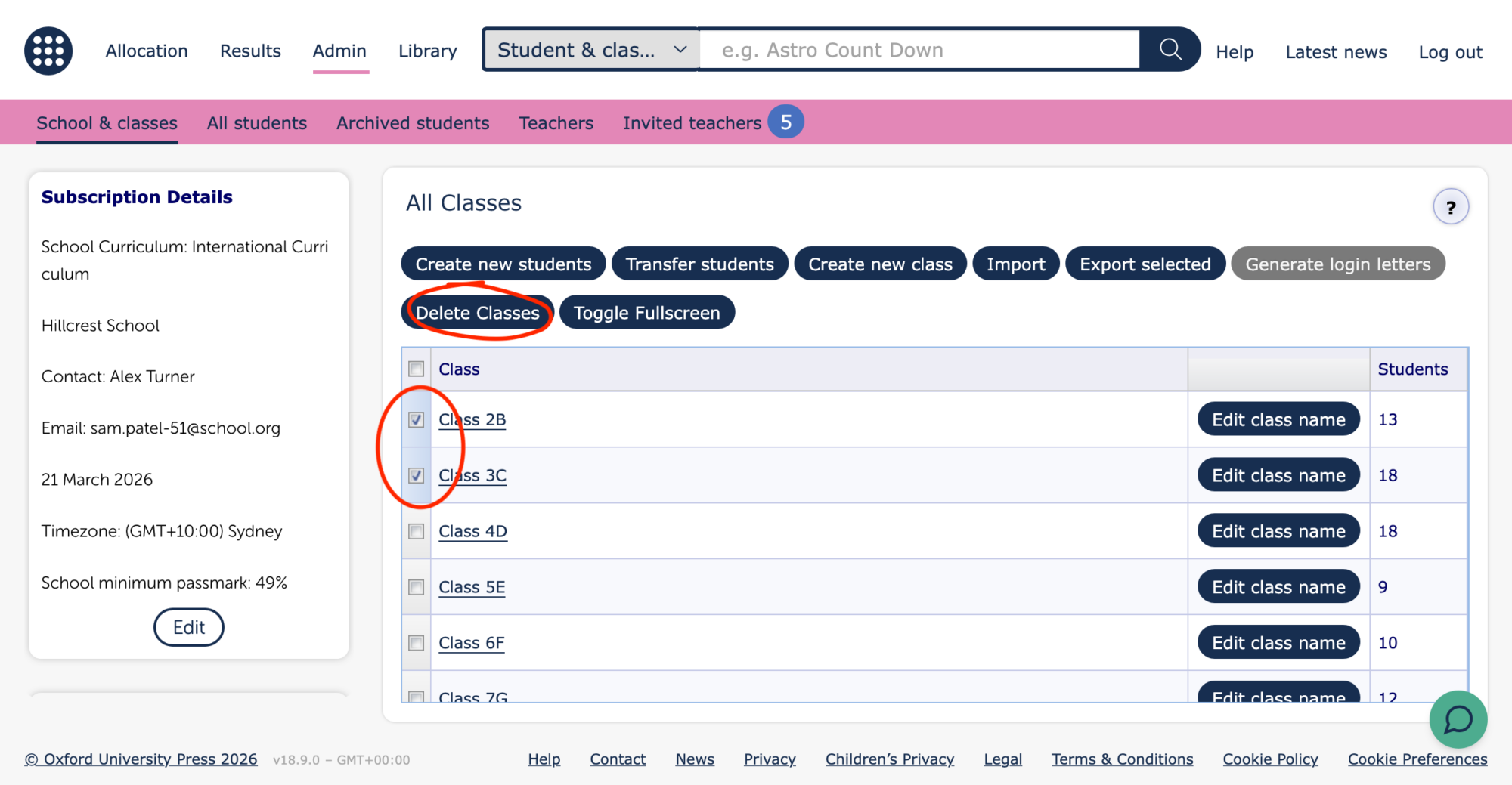
- Go to the All classes view in the Admin section of the Teacher dashboard
- Check the boxes of the class(es) you wish to remove and click the ‘Delete Classes’ button. Note, if you have a third level password set up you will need to enter this to perform this action
- Review the classes to be removed and the listed students. Students that are no longer in any classes will be archived, but can be restored if required. Classes cannot be restored, and their allocations will be removed.
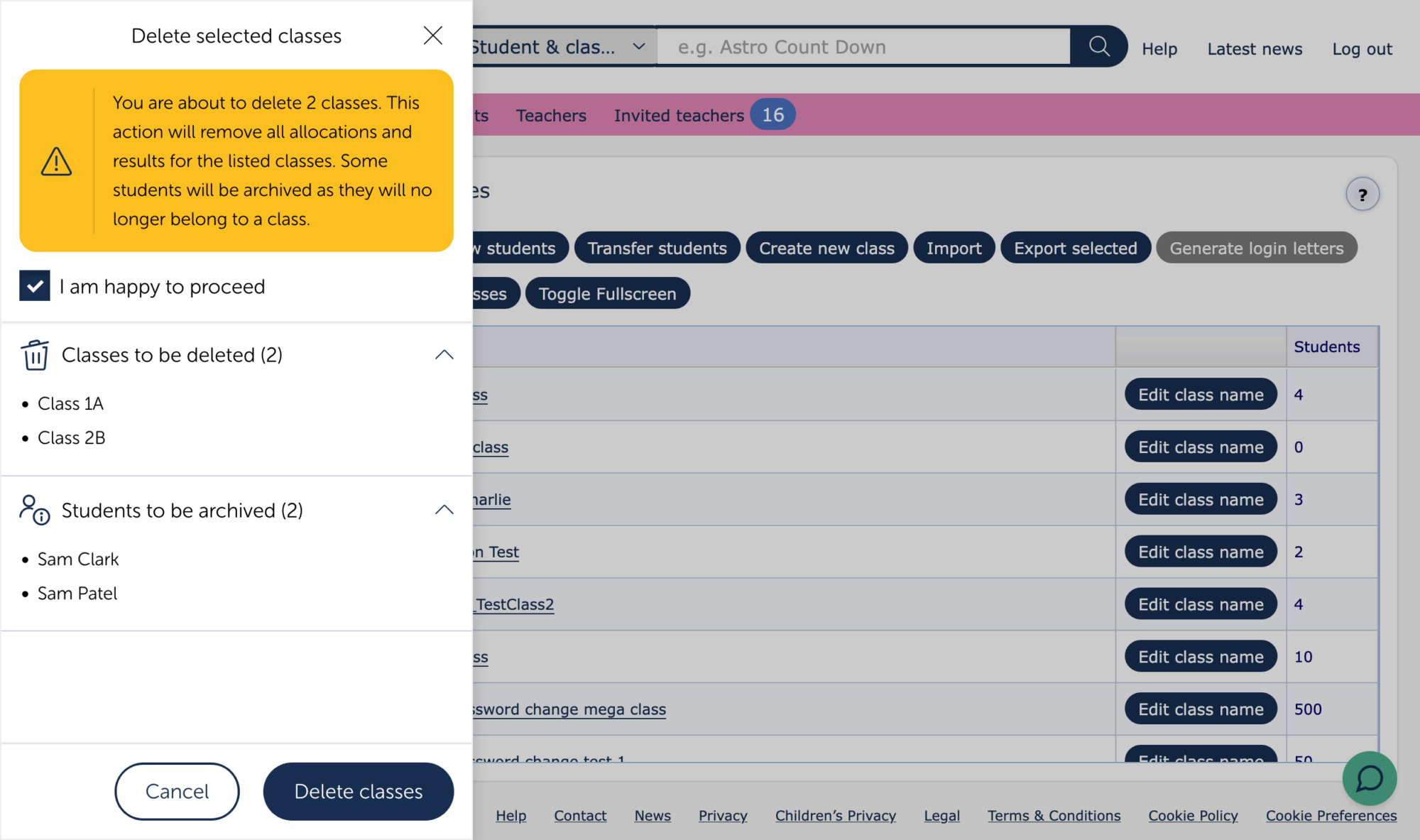
- When you are happy to proceed, check the box to confirm this and click the Delete classes button at the bottom of the screen to complete the action.